

Senior alert devices quietly but critically help ensure the safety of older adults both at home and in care settings. Built to be reliable without being noticeable, they transmit the right signals at the right times, enabling family members and caregivers to respond promptly. In this article, I will explain what occurs behind the scenes so you can understand why some devices perform better than others and what factors to consider when selecting equipment or making a recommendation.
The phrase quiet engineering captures the idea that great design often means less noise, fewer false alarms, and steady operation for months or years. Below are practical descriptions of the core elements that give these devices their dependability, real world examples, and tips to help you evaluate or configure a system for everyday use.
How silent signals keep seniors safe
At its core a senior alert device converts an event into a message. That could be a fall, a prolonged inactivity period, leaving a designated area, or pressing a personal button. The value lies in how the device detects the event and then moves a small amount of data through wireless networks to a human who can respond. The quieter and more precise that chain is the less likely a loved one will be startled by frequent alarms and the more likely responders will treat each alarm seriously.
Silent operation is not only about volume control. It also means prioritizing the right alerts and suppressing trivial ones. For example a device that learns that a user sits for long stretches but moves slightly every hour should not treat every pause as an emergency. That type of subtle handling of signals saves time and attention from caregivers.
Core components of reliable alert devices
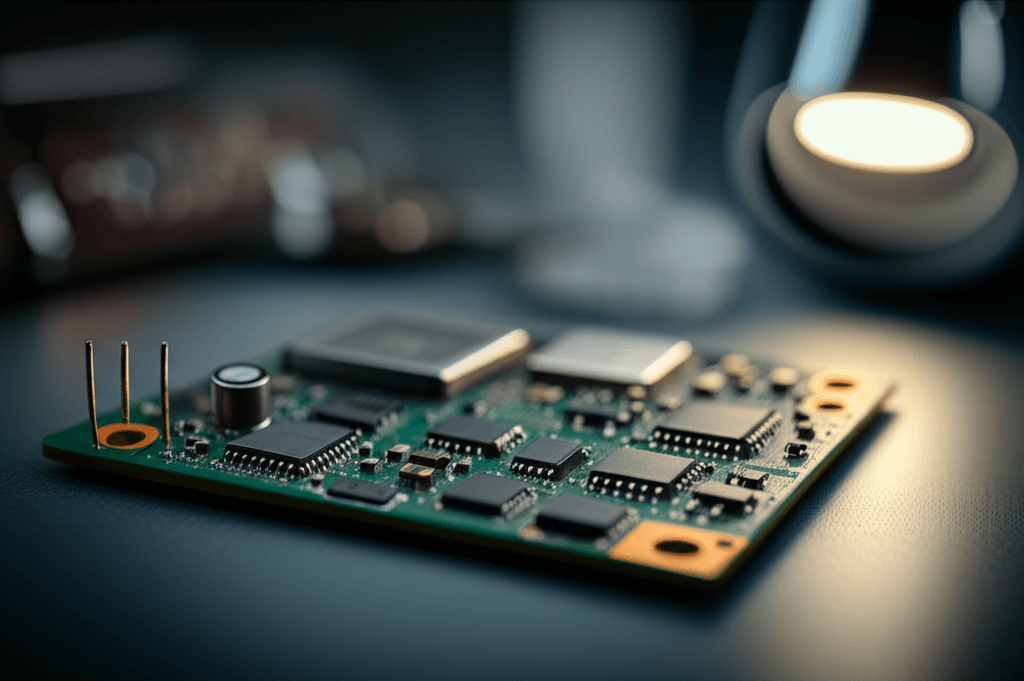
Reliable devices share a common set of parts that work together. Knowing these can help when evaluating specifications or comparing models. Typical components include sensors, a processing unit, a wireless transmitter, a power source, and a mounting or wearable design that keeps the sensor in the right place.
Sensors range from accelerometers that detect sudden motion changes to pressure pads and door switches. The processing unit applies rules so the raw sensor values become meaningful notifications. The transmitter covers short range radio or cellular links to reach monitoring centers or family apps. Battery design keeps the device running without frequent intervention. Each element affects performance in measurable ways.
For a detailed case study about how design choices pair with testing and installation practices check this resource for engineers and facility managers to get the insights
Sensors and detection logic
Sensors are the first line of truth. A common fall detector uses a three axis accelerometer plus an orientation sensor. Detection logic looks for a rapid movement followed by a lack of upright orientation and little subsequent motion. That combination reduces false alarms from sitting down abruptly. Pressure mats work differently. They sense a change in weight and can be paired with timers so that an exit is only flagged if weight leaves for a set time.
Communication modules and redundancy
Transporting an alert is where reliability is tested. Many devices use a primary method such as Wi Fi or cellular and a backup path like Bluetooth to a nearby hub. Redundancy reduces the chance that a single network outage prevents notification. In addition, quality devices use acknowledgements so the device knows whether the message reached the cloud and will retry if it did not.
Design choices that reduce false alarms
False alarms are the bane of any monitoring system because they wear down trust. Good design reduces unwanted calls while preserving sensitivity to real events. That balance depends on well tuned thresholds and state tracking so the device can make a simple judgement about context.
Thresholds and configurable settings
Devices should allow sensible adjustments. For example adjusting sensitivity for motion detectors can avoid alarms when users have tremor conditions or move slowly. Time based thresholds allow a system to ignore brief anomalies. Ask whether settings are locked by a provider or adjustable by a caregiver. Flexibility matters for long term use.
Context aware sensing
Combining multiple inputs gives a clearer picture. A motion sensor paired with a door contact and a scheduled routine can tell the difference between a planned walk and a wandering episode at night. Using a combination of signals helps the device classify events more accurately, which cuts down on spurious alerts.
Power management and battery strategies
Battery life is a practical concern for anyone who wants a device to work without daily fuss. The goal is long intervals between maintenance visits while keeping responsiveness high. Designers use several methods to extend run time.
- Low power components Picking chips and radios that sip energy during idle periods.
- Sleep cycles Letting sensors and transmitters sleep when no activity is present and waking only on threshold triggers.
- Energy budgeting Choosing how often a device checks in with the server so routine status updates do not drain the battery.
- Removable versus sealed batteries Removable batteries simplify replacement while sealed rechargeable packs need fewer user interactions but may require a charging routine.
As a tip, if you are responsible for a device in a care setting create a schedule for battery checks and keep spare batteries on hand. For wearables look for models rated for months of operation under targeted usage rather than days.
Connectivity choices and fallback paths
Where a device sends its alert matters. Some systems link to a monitoring center that calls a contact list. Others push messages and audio clips to family apps. The important technical factors are latency, coverage, and fallback methods.
- Local networks Devices that use home Wi Fi are low cost but may fail when the router drops. Test router availability near the device location.
- Cellular links These provide wide coverage without local infrastructure but depend on carrier reception. Check signal strength at the installation site.
- Multi path Systems that can switch between Wi Fi and cellular improve chances that an alert gets out.
Practical insight Do a simple site survey before purchase. Walk the path the device will be used on and test phone signal strength and Wi Fi coverage. Small dead zones can be fixed with a range extender or alternative placement.
Testing, validation, and maintenance practices
Design matters but ongoing checks are equally important. A system should be validated after installation and periodically thereafter to catch issues such as firmware bugs or worn batteries. Proper testing follows a plan and records the results.
- Acceptance testing Verify devices send alerts that reach their intended recipients within an acceptable time frame.
- Scenario tests Run common events such as a staged fall or a door exit during active hours and during night hours to see how the system responds.
- Firmware and software updates Keep devices on supported versions and verify that updates do not change critical settings without notifying caregivers.
- Routine checks Schedule monthly or quarterly inspections depending on usage intensity.
Tip Keep a simple log of tests and any follow up actions. That log becomes invaluable when you need to compare different device models or when a warranty claim is required.
User experience and installation considerations
Even the most capable hardware falls short if users and caregivers find it hard to set up or confusing to operate. Installation should be straightforward and documentation should be plain language. Consider these aspects when comparing options.
- Mounting and placement Devices that clip or adhere easily reduce installation time and prevent displacement that can cause false readings.
- Interface design Large buttons, clear LED indicators, and intuitive app screens make daily use simpler for older adults and their families.
- Training Brief hands on training sessions for family or staff can prevent mistakes and build trust in the system.
Example An assisted living facility that included a 15 minute walk through with new residents and staff reduced false callouts by having a staff member verify placement and settings during initial setup.
Conclusion
The quiet engineering behind reliable senior alert devices blends smart sensor design, sensible thresholds, conservative power management, and tested connectivity. Each of these areas affects practical daily use. When evaluating devices look beyond marketing claims and ask about the kinds of tests the manufacturer runs, how often firmware is updated, and what the plan is for battery life and network outages. Check whether settings can be tuned to a specific user profile and whether the product offers multiple communication paths. Small decisions such as mounting location and the cadence of routine checks have large effects on performance. Start with a brief site survey, pick a device whose design matches real world needs, and maintain a simple testing schedule. If you are responsible for purchasing or recommending technology for an older adult take the time to compare not just feature lists but operational details such as expected battery run time, how the device deals with ambiguous events, and whether caregivers can easily change settings. Those practical steps will reduce unnecessary alarms and increase the chance that a true event gets timely attention. If you want a deeper technical walkthrough or a case study that shows how these design choices are implemented in commercial products follow the link above for more reading and consider scheduling an on site trial if that option is offered.